How to choose your emails
You decide how our news arrives. Watch the 60-second video or follow the steps below.
What you can choose
-
Voluntaryist News
Daily Digest: one email a day with every article published that day.
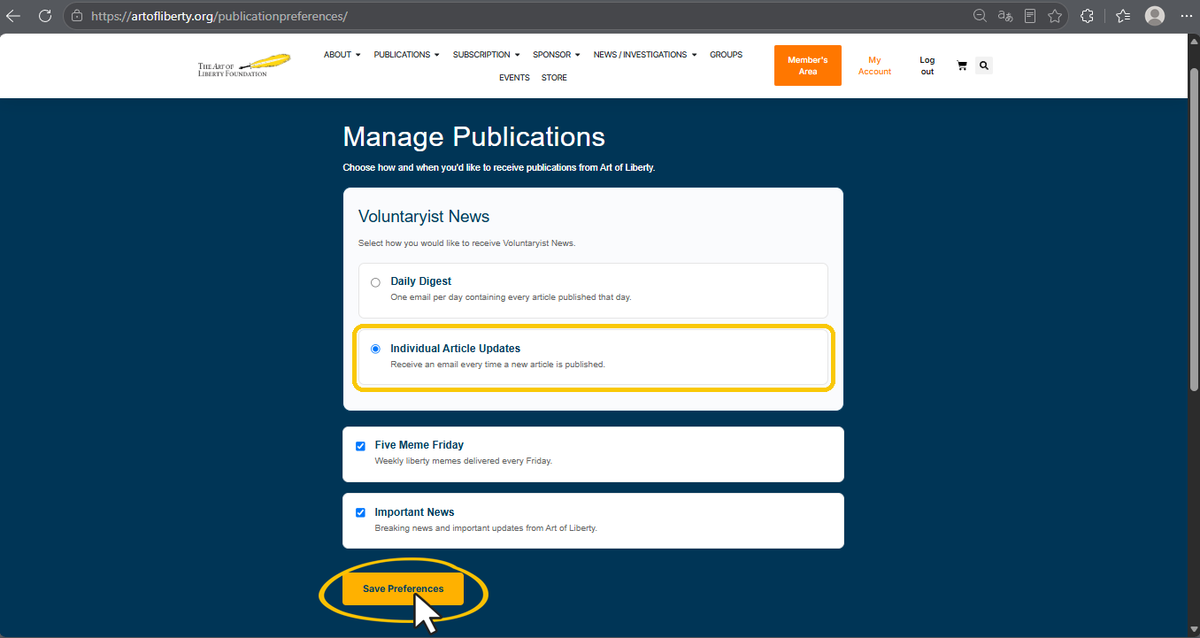
Individual Article Updates: an email each time a new article is published. - Five Meme Friday
- Important News
Step by step
-
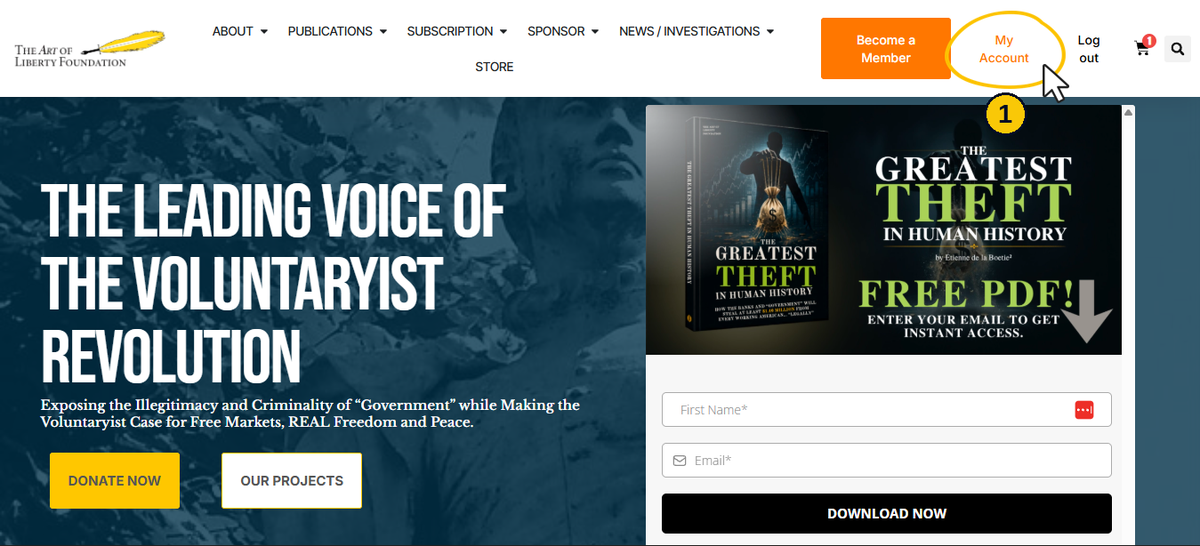
Go to ArtOfLiberty.org and click My Account in the top menu.

-
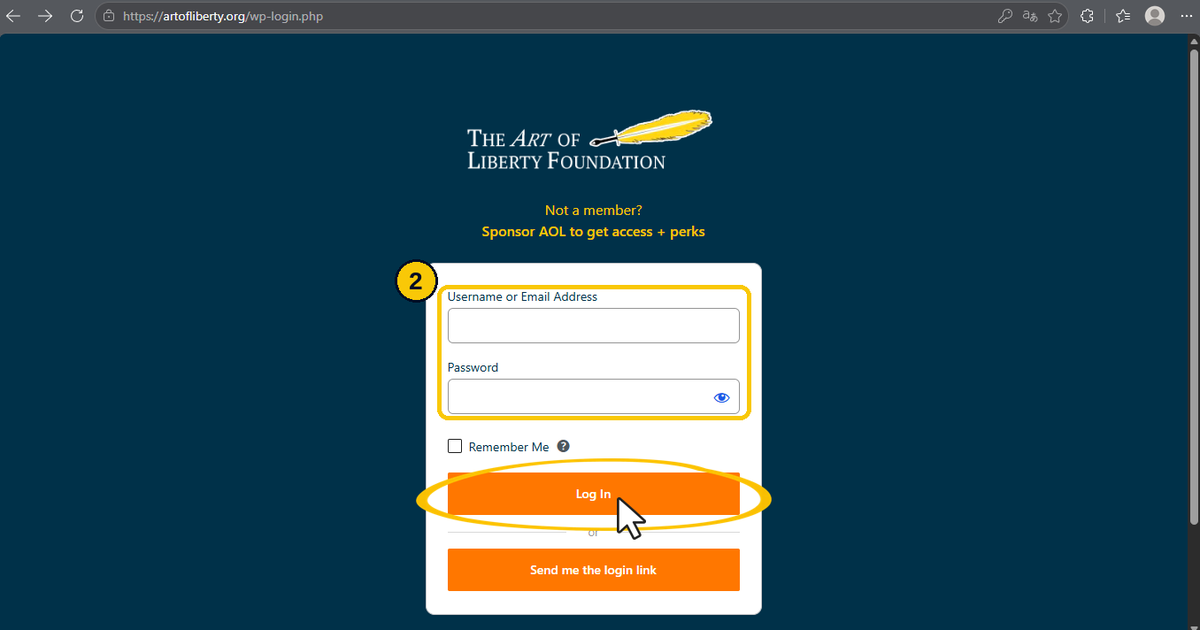
Log in with your username or email and your password, then click Log In.
Prefer not to type a password? Click “Send me the login link” and we’ll email you a one-click login link.
-
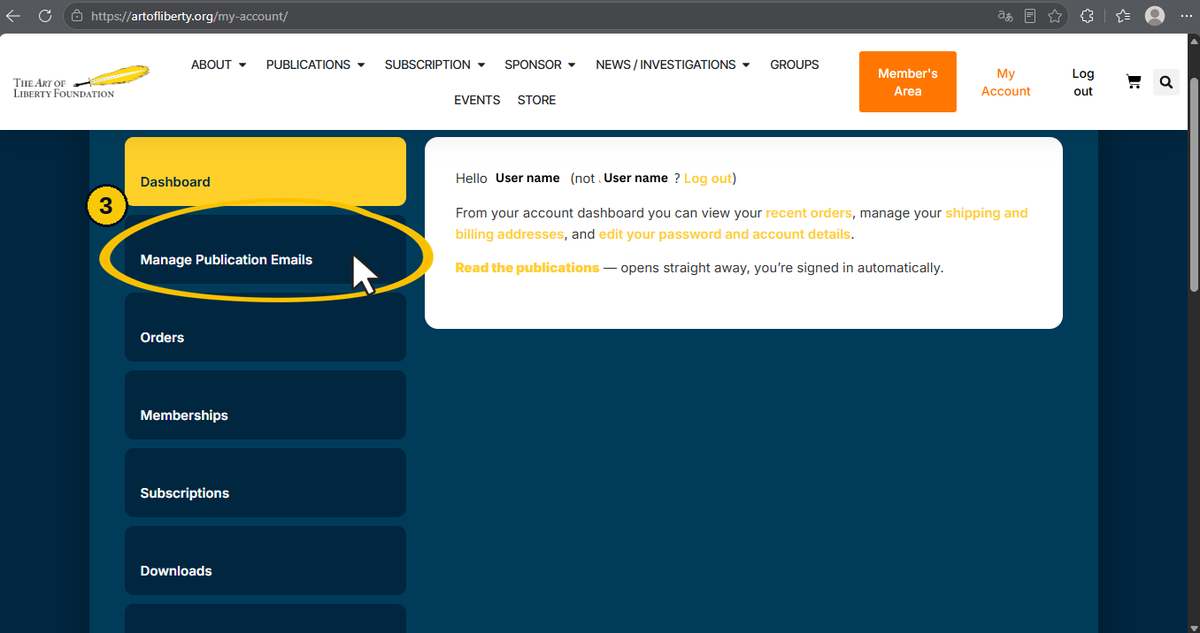
In your account dashboard, click Manage Publication Emails.
(If you land on the Members Area first, click My Account again.)
-
Under Voluntaryist News, choose Daily Digest or Individual Article Updates.
Check Five Meme Friday and Important News if you’d like those too, then click Save Preferences.
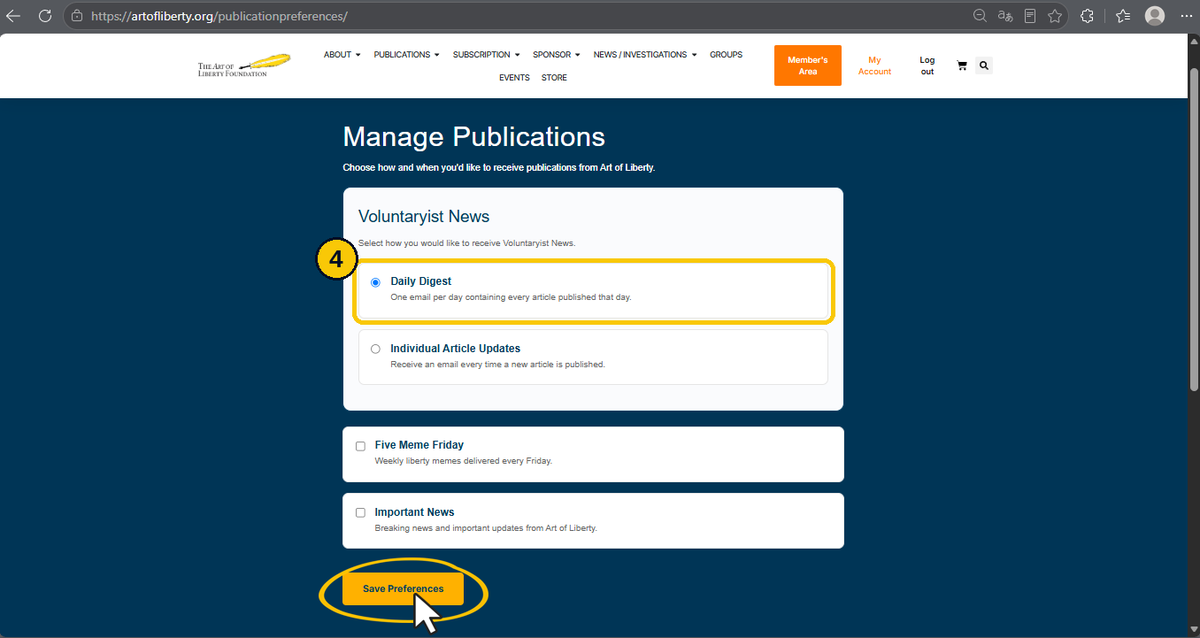
Want individual articles again? You can switch back at any time: follow the same steps, select Individual Article Updates and click Save Preferences.
You’ll see the message “Your publication preferences have been updated.” That’s it.
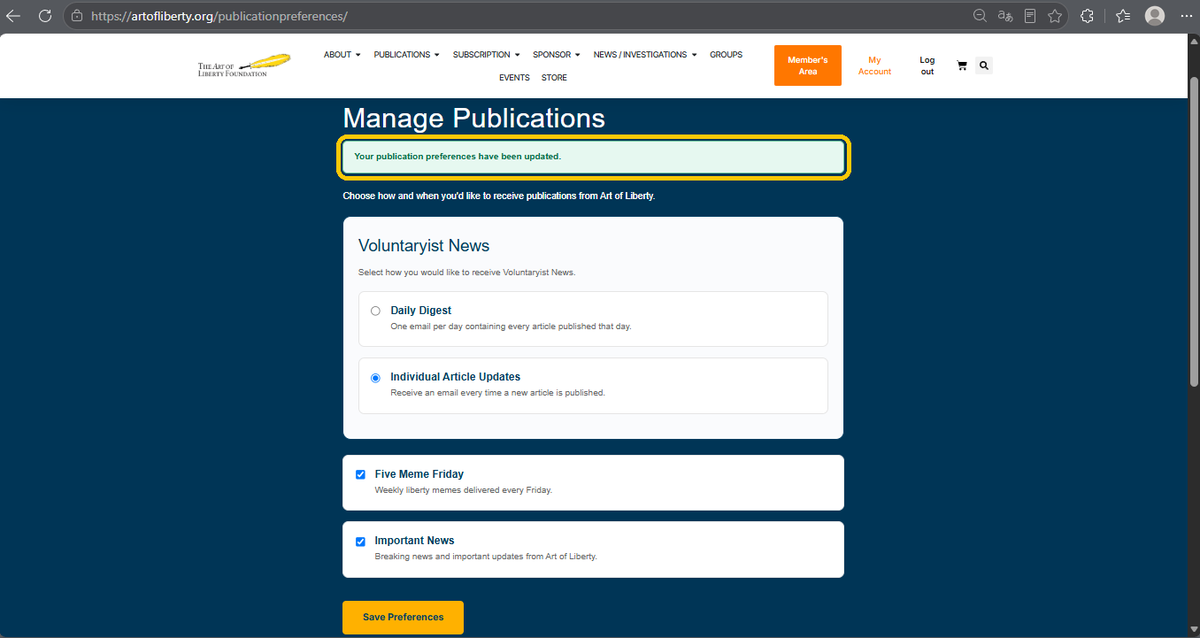
You can change your choice whenever you like.